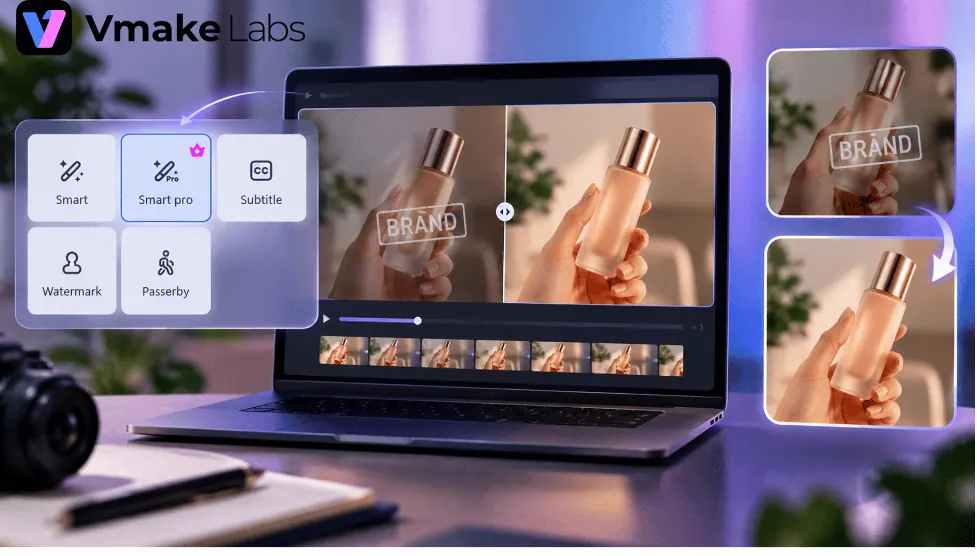
In the fast-paced world of product launches, marketers often face challenges with draft videos that contain unwanted elements such as watermarks, outdated logos, or licensed clips that require permitted overlays to be removed. Vmake Labs, a company that specializes in video editing tools, has introduced its Smart Pro feature to address these issues. Smart Pro is an advanced removal tool that can handle difficult on-screen text and watermark removal, allowing brands to work with their own or properly licensed assets.
The first step in the workflow is to clean the draft using Smart Pro. This tool is designed for video elements that are harder to remove with basic cleanup tools. It analyzes the unwanted element across the video and works to reconstruct the background behind it, making it useful for removing small and thin text, semi-transparent logos, and multiple marks on different timelines. By using Smart Pro, launch teams can save time and avoid reshoots, ensuring that their video content is clean and ready for the next stages of production.
After cleaning the draft, the next step is to enhance the footage using Vmake Labs' video enhancer. This pass focuses on image quality rather than removing unwanted elements. The video enhancer offers different options depending on the type of footage and the final output, including Quality mode for quick 2K enhancement and Master mode for producing 2K, 4K, or 8K versions. By choosing the right enhancement option, brands can achieve footage that looks cleaner and sharper without appearing heavily processed.
The enhanced master can then be used to create final ad versions for different placements, such as product pages, paid social, and retargeting campaigns. Starting with a clean, higher-quality master gives editors more room to crop and reframe the footage, ensuring that the final versions meet the specific requirements of each placement. Additionally, keeping the original file ensures that the enhanced version becomes another usable asset in the library, rather than replacing the source.
To export versions for each placement, launch teams should avoid using the same export for every part of the campaign unless the placements call for it. Instead, they can create versions needed for the launch, such as a product page version that keeps more of the original framing, a paid social version that uses a tighter crop, and a retargeting version that cuts the footage around the strongest product or offer moment.
The full process of using Vmake Labs' Smart Pro and video enhancer is straightforward: clean, review, enhance, compare, reframe, and export. By following this workflow, brands can recover useful footage from older drafts and transform it into ad-ready assets, reducing the need for costly reshoots and ensuring that their product launches are successful.
According to Vmake Labs, this approach can be a practical way for brands to breathe new life into their existing video content, making it suitable for future campaigns. By leveraging Smart Pro and the video enhancer, marketers can focus on creating engaging content that resonates with their target audience, rather than worrying about the technical aspects of video editing.
Key points
- Vmake Labs' Smart Pro can handle difficult on-screen text and watermark removal.
- The video enhancer offers different options for enhancing footage, including Quality mode and Master mode.
- The workflow of using Smart Pro and the video enhancer can help brands recover useful footage from older drafts and transform it into ad-ready assets.